About theMilliseconds
What is a Millisecond and the Unix Epoch?
A millisecond is a unit of time in the International System of Units equal to one thousandth of a second and to 1000 microseconds.
Time is calculated since the "Unix Time" reference point: 1st January 1970, 00:00:00 UTC. The Unix epoch is the number of milliseconds calculated since that reference point - a value that is independent of timezone, and can be negative for any date before 1 January 1970.
What does theMilliseconds do?
theMilliseconds decodes time stored in the millisecond-epoch format used by most databases and APIs. Convert milliseconds to date-time and back, in the timezone of your choice, and calculate the precise difference between two timestamps.
For example: if a record was saved in India, its stored millisecond value reflects the Indian timezone. A developer inspecting the same value from Prague would see a different local date-time unless they explicitly convert it to India's timezone. Milliseconds: 1674377411423 reads as Sunday, 22-Jan-2023, 14:20:11 in India, but Sunday, 22-Jan-2023, 09:50:11 in Prague (both 24-hour format) - exactly the kind of mismatch this tool exists to resolve.
How to enable Pasting
Your data and privacy are crucial to us. Nothing you paste is read except the text you explicitly paste into a field - and none of it is ever sent anywhere, since this site has no backend at all. Your browser still requires you to "Allow" clipboard access the first time, which is a browser-level permission prompt, not something this site controls.
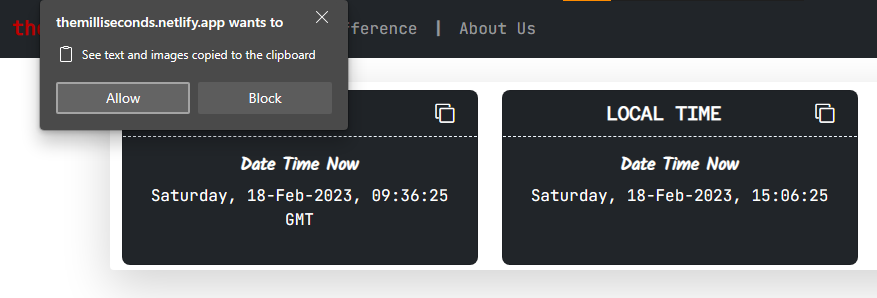
Enabling From the Prompt
Click "Allow" on the prompt that appears after clicking a paste button.
Enabling Manually From Settings
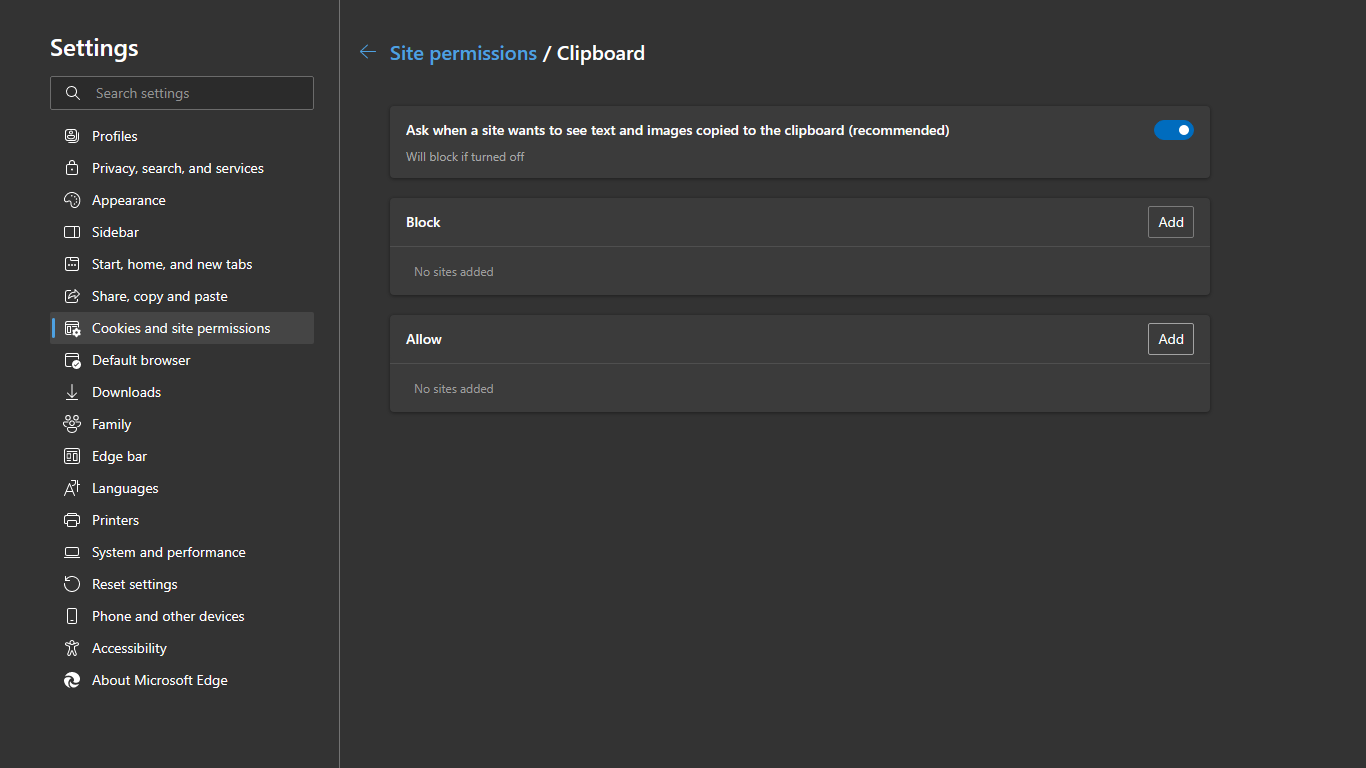
- Open your browser's Settings.
- Search for "Site Permissions" and open that.
- Search for "Clipboard" and click on it.
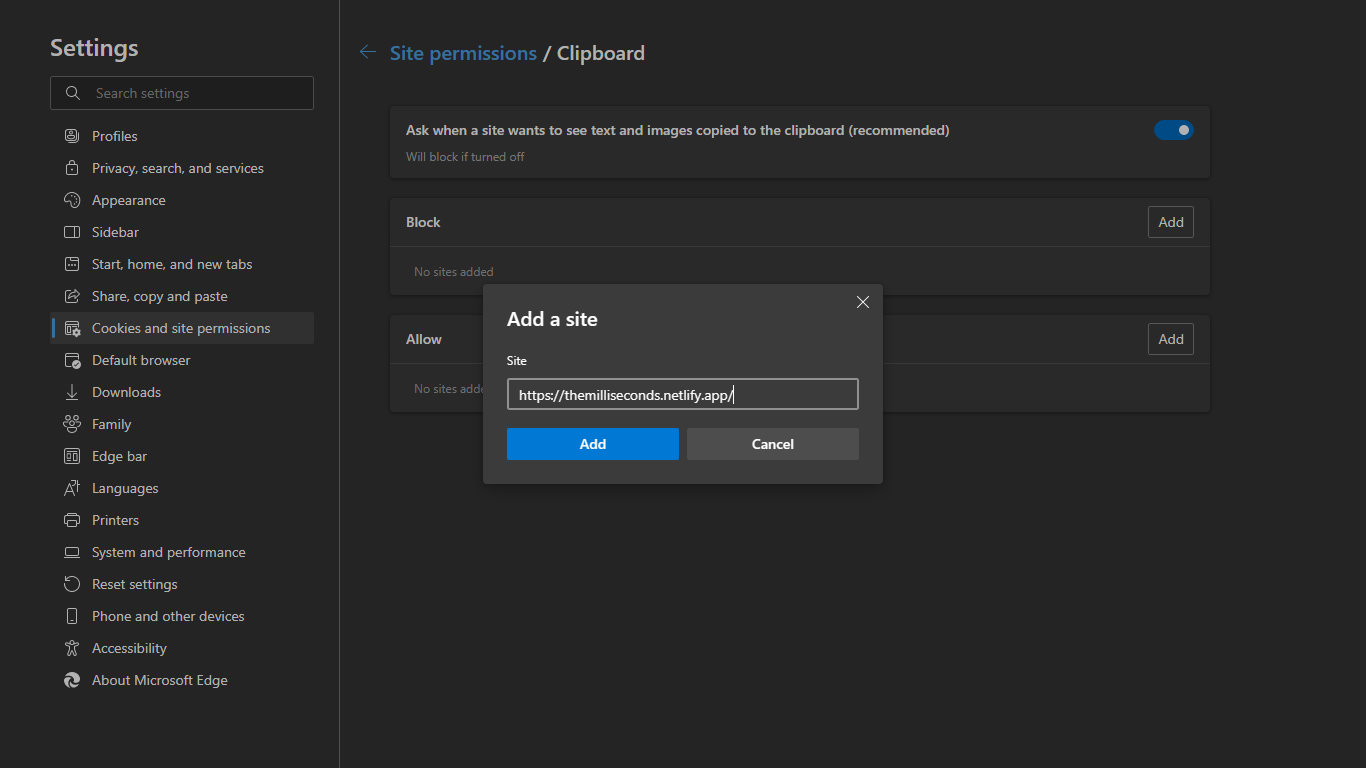
- Remove https://themilliseconds.netlify.app/ from the Block section.
- Add it to the Allow section instead.
- Refresh the page once.
Users are not permitted to manipulate any content of this website through inspection tools. The time shown may not be correct for every user's requirement or timezone; theMilliseconds and its owner take no responsibility for any incorrect data.
No data is collected or shared with any third party.